

A scanner cable has to match the electrical interface and the way the scanner moves. For PoweredUSB assemblies, confirm the host voltage and scanner pinout first. Then choose a straight or coiled construction around the actual scanning position.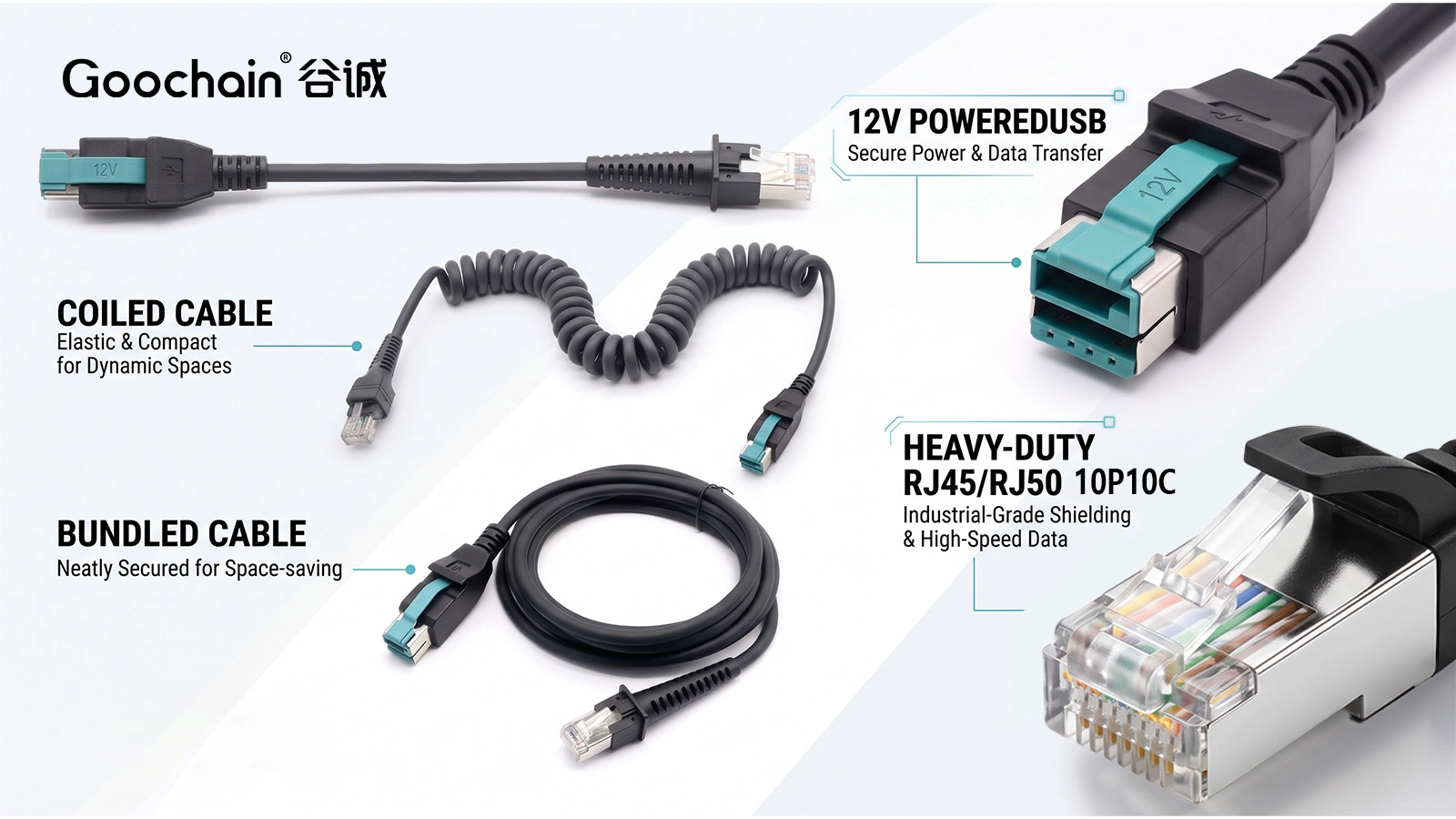
RJ50 is commonly used for a ten-position, ten-contact modular connector. Scanner catalogs sometimes use inconsistent modular-connector names, so the contact count, housing and equipment documentation need to be checked together. An Ethernet pinout should not be assumed from the general plug shape.
The scanner model and connection mode also matter. Contacts may carry USB, power or device-specific functions. A connector that fits can still be wired incorrectly. A model-specific pin map is the basis for an approved assembly.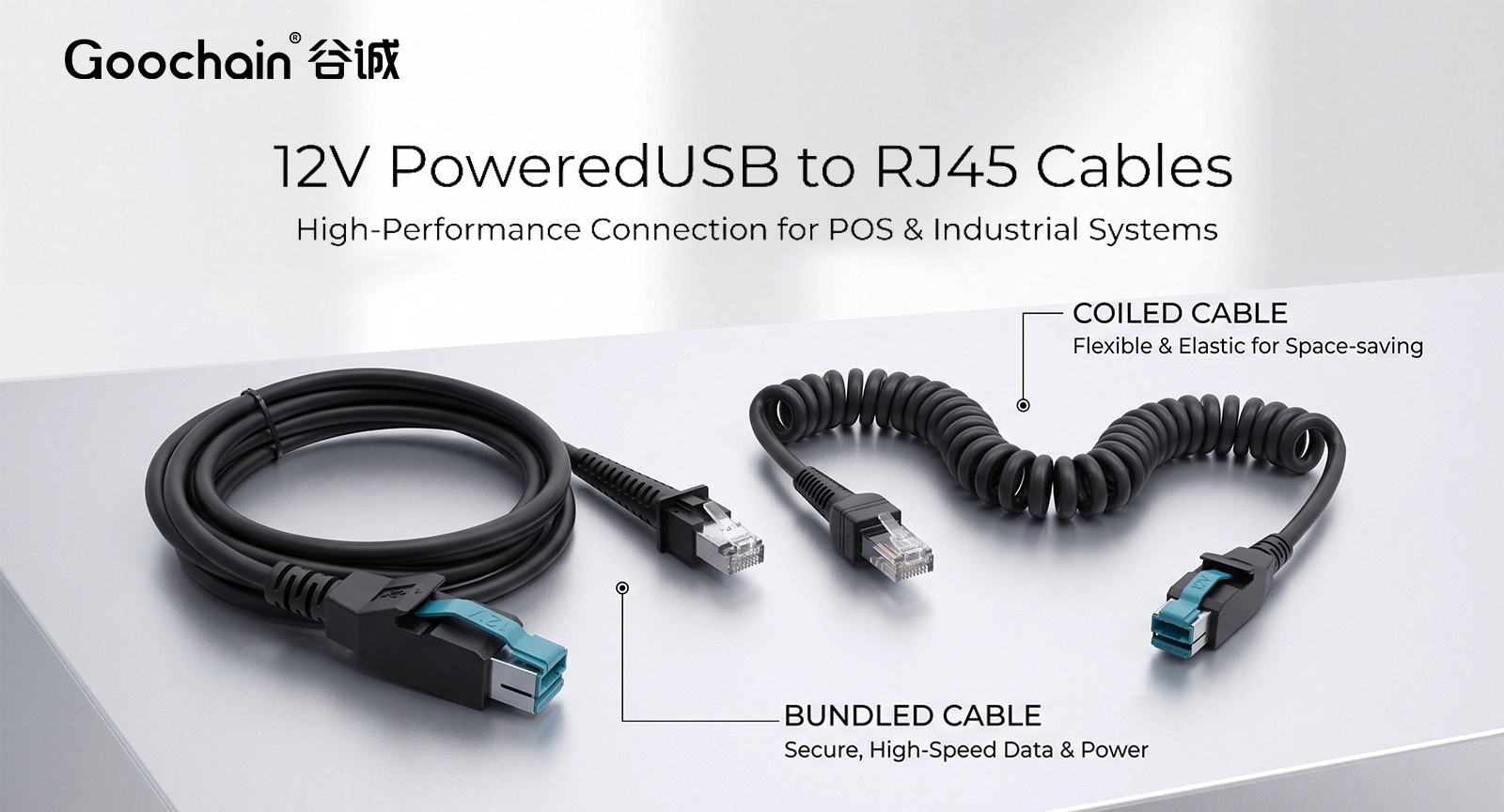
A straight cable is easier to secure along a counter, stand or kiosk enclosure. Leave a service loop where the scanner is removed, and prevent repeated bending immediately behind the modular plug. Our 12V PoweredUSB scanner cable is an example of this interface family.
The required length should be measured along the cable route, including supports and the scanner position. A direct point-to-point measurement can underestimate the installed length.
| Requirement | Straight cable | Coiled cable |
|---|---|---|
| Typical routing | Fixed or supported route | Moving handheld device |
| Length information | Installed route and service loop | Retracted length, working reach and tails |
| Mechanical check | Bend points and connector strain | Extension force, recovery and connector strain |
For handheld use, a coil can keep spare cable closer to the workstation. Record retracted length, working extension, coil size and the lengths of both straight tails. The force at normal reach matters because a stiff or overstretched coil can pull on the scanner socket and operator.
Repeated extension and bending need defined conditions. A durability figure is useful only when the test states movement, force, cycle rate and electrical acceptance criteria. Avoid treating a maximum stretched length as a recommended operating length.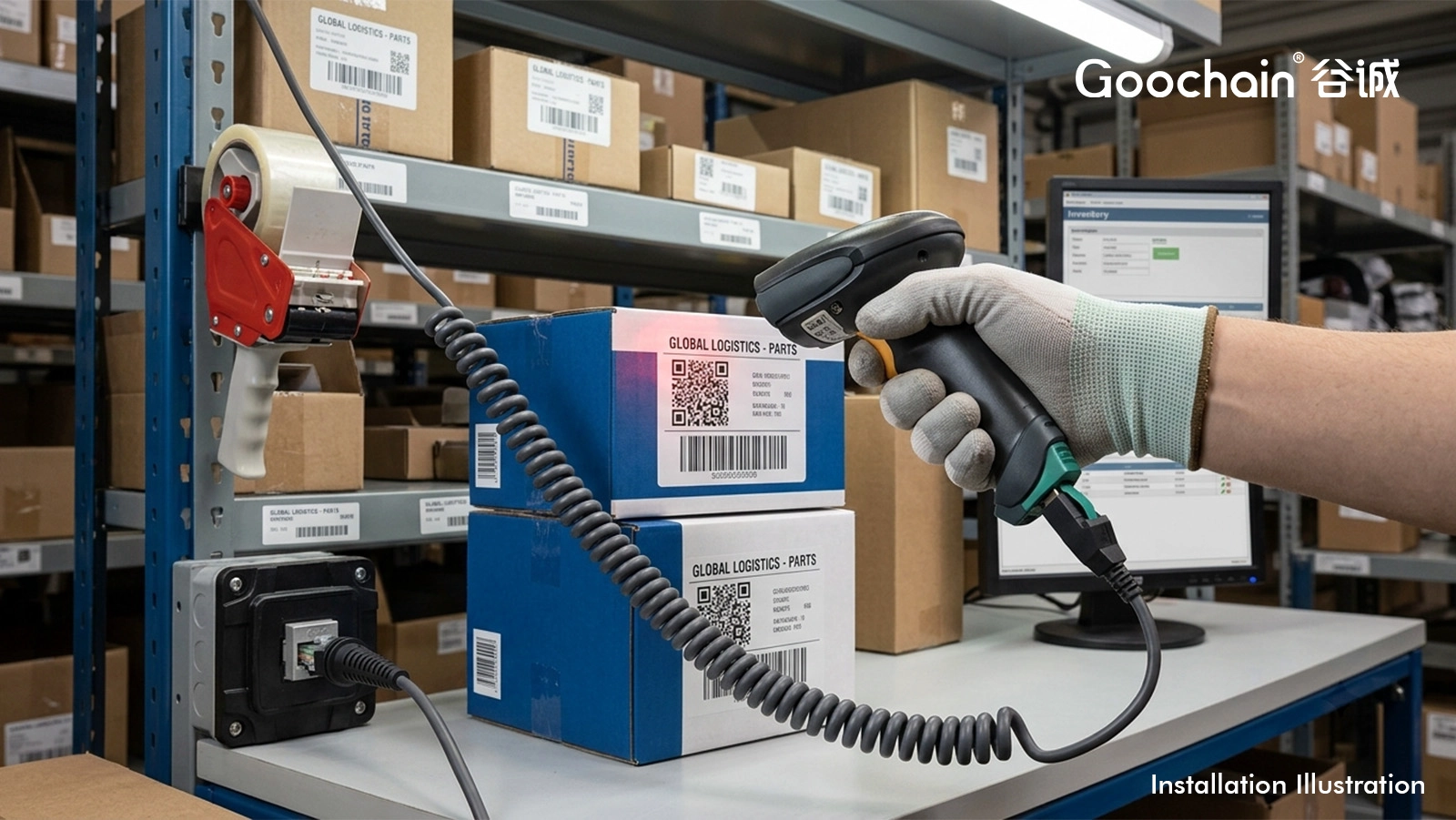
Check scanning and communication through the intended host, with the selected cable length and routing. Review connector retention and strain relief while the operator moves the scanner through the expected range. Keep the verified equipment list with the cable part number.
Goochain develops powered USB scanner cable assemblies at its 5,000 m² Dongguan factory. The PoweredUSB cable range supports different device ends and constructions. A reference cable, scanner documentation and a short installation description provide a useful starting point for customization.
No. Contact layout alone does not establish the scanner pinout or interface mode.
Specify a working range that suits the device and operator. Maximum extension should not be used as the normal reach by default.


 English
 简体中文
简体中文  Deutsche
  Italian
  français
  Español
  Nederlands
  日本語
日本語  한국어
한국어  عربى
عربى  português
  Türk
Türk 

