

A pogo pin phone charging mount supplies power through electrical contacts that meet when the phone-side adapter docks with the support. In the configuration shown here, a short adapter cable connects the docking interface to the phone’s USB-C port. The charging connection is made at the dock, rather than through an inductive charging coil.
For a buyer, the useful question is how the complete assembly connects: where power enters, how the docking faces meet and what remains attached to the phone when it is removed.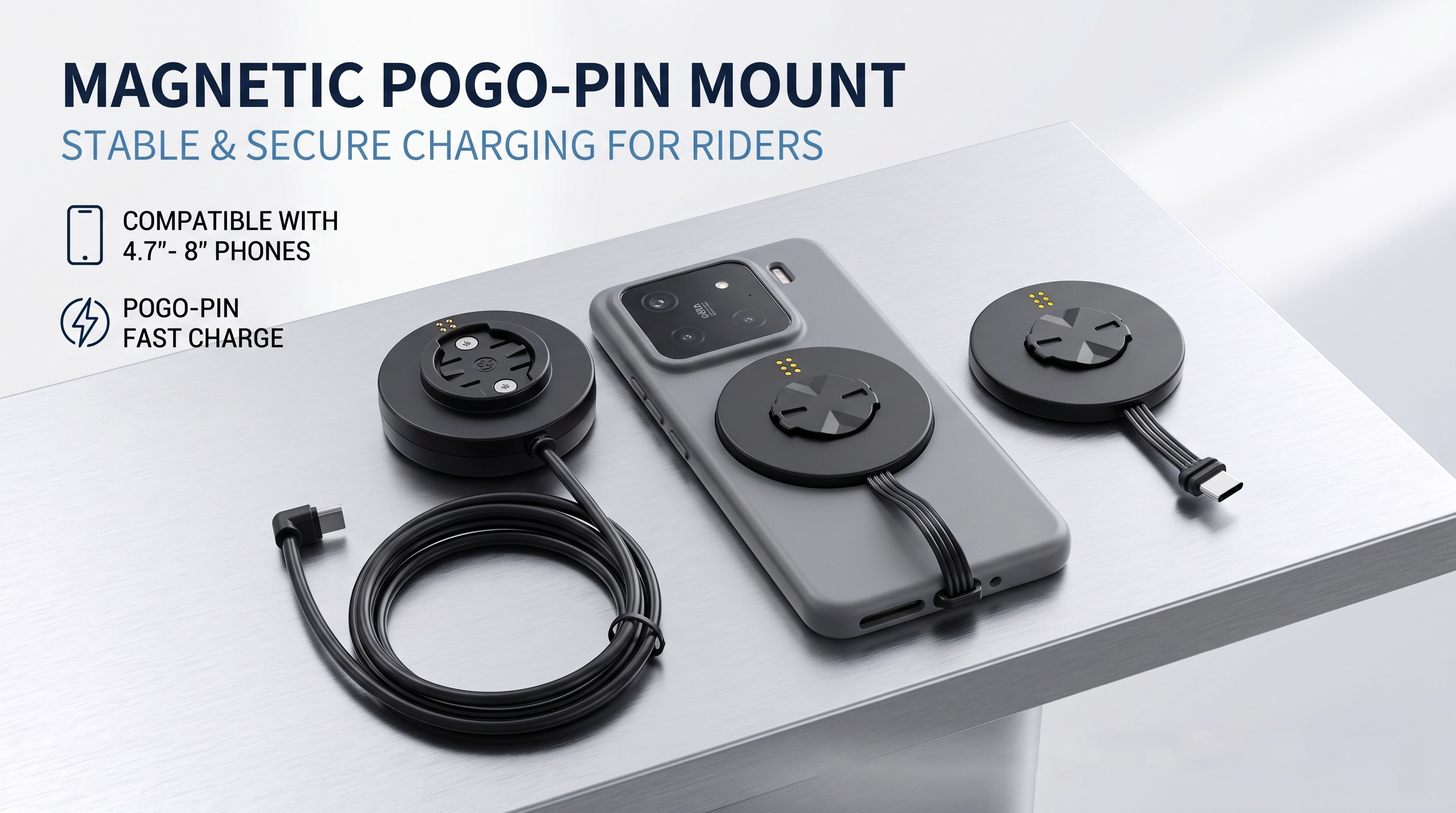
The arrangement can be read in five stages: the selected external supply feeds the input wiring; that wiring feeds the docking head; the pogo pins meet the adapter contacts; the adapter cable carries the connection to the USB-C plug; and the phone receives power through its port. Any voltage conversion, protection or protocol circuitry must be identified from the electrical design.
The Goochain pogo pin phone charging mount illustrates this arrangement with a handlebar support and a separate phone-side adapter. Its circular mechanical interface and contact layout should be evaluated together when checking a sample.
Pogo pins are spring-loaded electrical contacts. When the mating parts engage, the contacts are compressed against their targets within the intended working position. The housing and docking geometry need to bring the matching surfaces together without forcing the pins beyond their intended travel.
The six-contact layout visible in this assembly is a physical description, not a pinout. A drawing must identify which contacts carry power, return or any supported signals. A six-contact dock should not be assumed to support data, USB Power Delivery or a particular output simply because six contacts are present.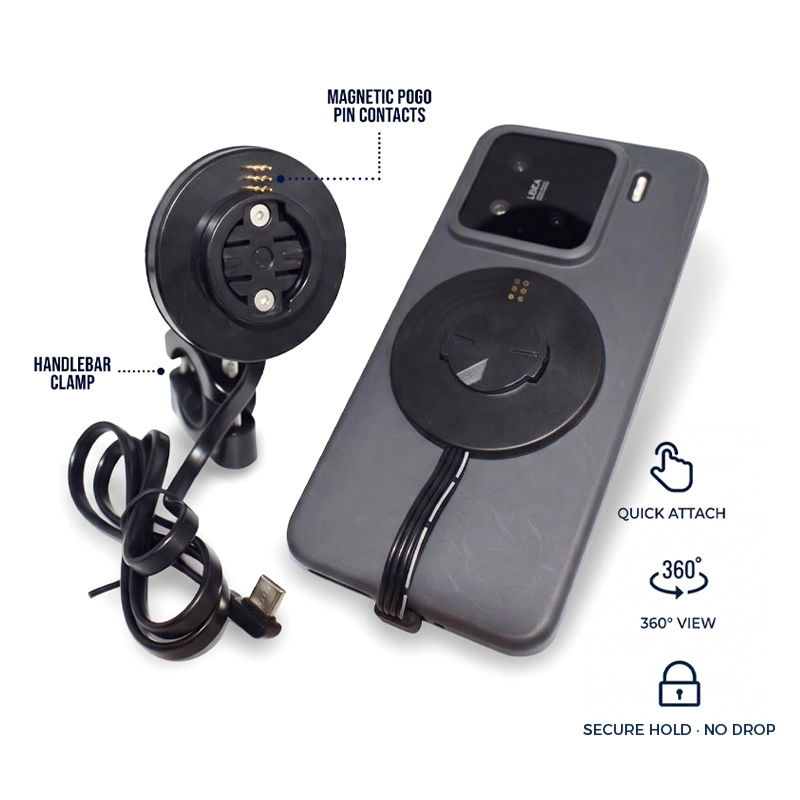
| Function | What it does | What it does not establish |
|---|---|---|
| Alignment | Helps position the mating docking faces | A charging protocol or power rating |
| Mechanical retention | Keeps the engaged assembly together | A vibration-isolation specification |
| Electrical contact | Provides a conductive path across the dock | Qi wireless charging compatibility |
This distinction matters when reviewing product descriptions. A magnetic mounting feature describes positioning or attachment. It does not, by itself, describe how energy reaches the phone. In a contact-based system, the mating conductive surfaces still form part of the power path.
In this arrangement, the USB-C adapter can remain connected to the phone when the docking interface is released. This can allow removal at the mount interface without unplugging the phone each time. The actual sequence depends on the approved adapter placement, case fit and release mechanism.
Check that the short cable does not pull sideways on the USB-C plug, that the adapter clears the camera area and that the release can be operated in the intended mounting position. These checks need the real phone and case, rather than a screen-size label.
A contact interface describes a connection method. Charging performance also depends on the supply, electronics, wiring and phone. A USB-C connector does not automatically establish USB Power Delivery support. Buyers should ask for the supported electrical configuration and the conditions under which it was checked.
For navigation use, sample evaluation should include the actual phone and typical display settings. Record whether charging is maintained under the agreed operating conditions. This is more informative than treating a charging icon as proof of a particular wattage or protocol.
With the supply disconnected, check that the mating faces are free of visible debris and that the parts engage in the intended orientation. A recessed, bent or visibly damaged contact should be reviewed before the assembly is powered. Follow the approved product instructions for cleaning and maintenance.
For a custom docking interface, see our pogo pin connection options. Send Goochain the installation drawing if the contact arrangement, adapter position or cable route needs to change. Define those features before checking the sample with the actual phone and power source.


 English
 简体中文
简体中文  Deutsche
  Italian
  français
  Español
  Nederlands
  日本語
日本語  한국어
한국어  عربى
عربى  português
  Türk
Türk 

